

Blackmagic Design Ethernet Switch 360P
- Regular price
- RM 13,349.00
- Sale price
- RM 13,349.00
- Regular price
-
RM 0.00
Share
Key Features
- Designed for SMPTE 2110 Video
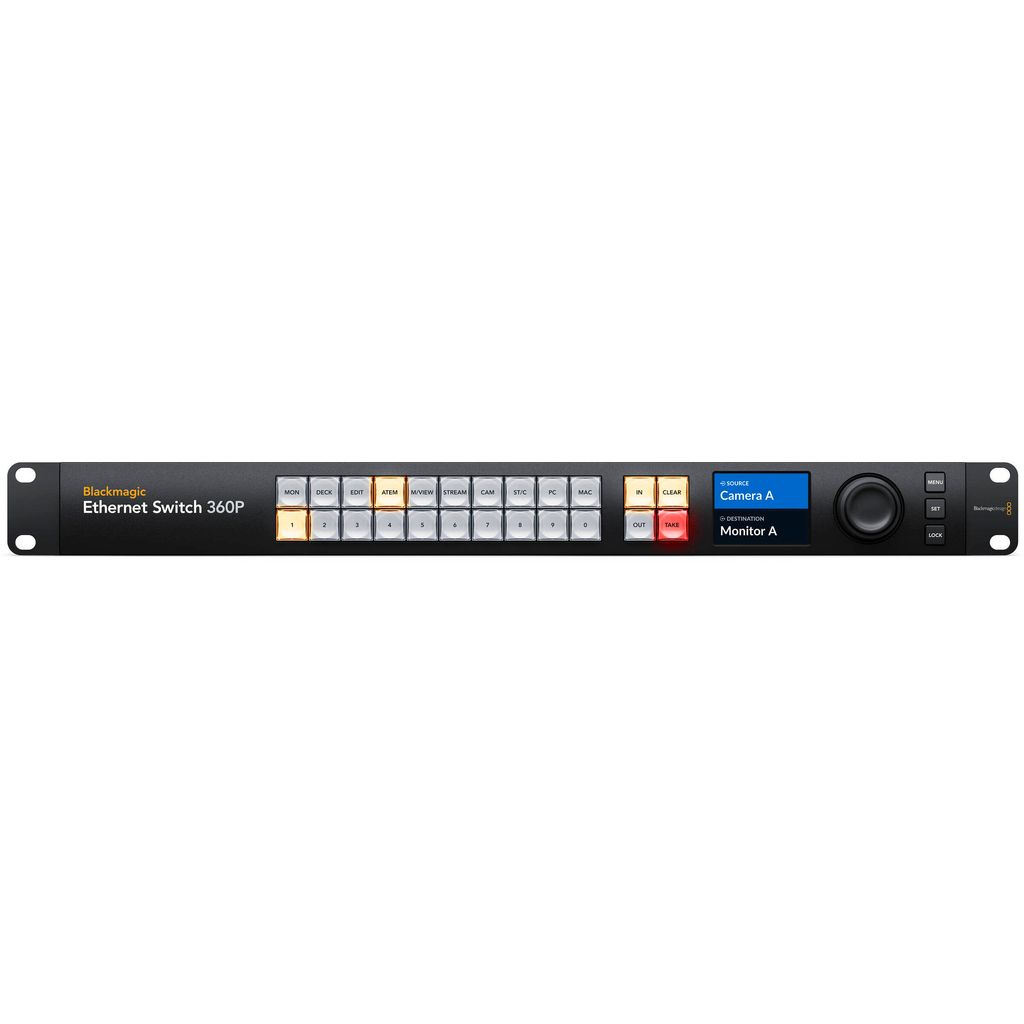
- Video Router Controls on Front Panel
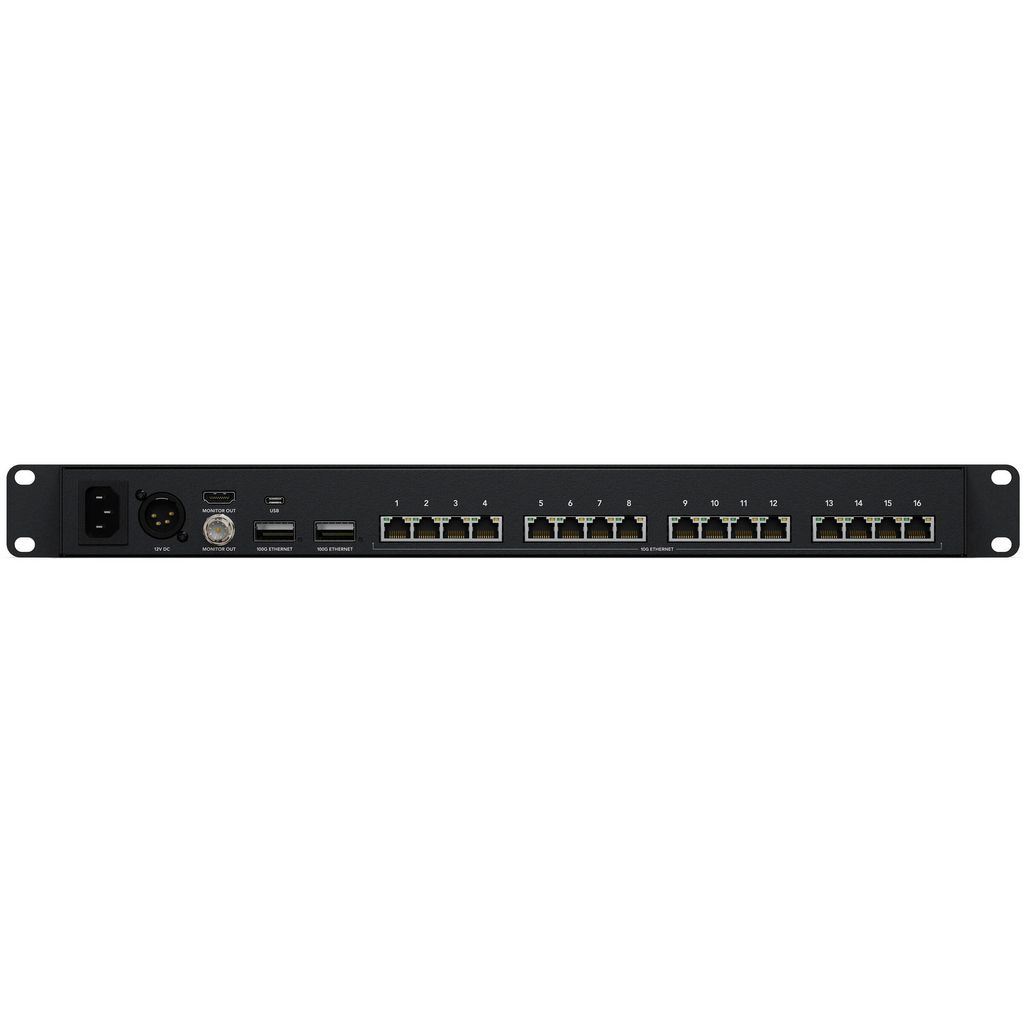
- Ethernet Switch with Ports on Back
- 16 x 10GbE and 2 x 100GbE RJ45 Ports
- For Complex Configurations, Multicasting
- Speed Graph on Monitor Out for Each Port
- Dynamic Labels for 2110 Connections
- Ports Located on Back, Easier Cabling
- Devices Display Alphabetically at Front
- For Fly Kits and Small Broadcast Trucks
Designed for the film and television industry, the Ethernet Switch 360P from Blackmagic Design provides extremely high performance plus low latency. This Switch incorporates 16 fast 10G Ethernet ports and two extremely high-speed 100G Ethernet QSFP sockets for copper cables or optical fiber modules. The front has a built-in panel that you can use to set up 2110 IP multicasting using familiar video routing so you don't need a team of IT technicians. This switch looks like a router at the front with a control panel, buttons, display, and wheel and like an Ethernet switch at the back. It supports SMPTE 2110 video and provides sixteen 10 GigE and two 100 GigE RJ45 ports that are located on the back for easier cable management. Suitable for complex configurations, the Internet Switch 360P is ideal for fly-pack and small broadcast truck use. A speed graph is visible on the monitor output for each port and dynamic labels for connected 2110 devices are displayed in alphabetical order on the front screen for quick identification.
Connect Creative Groups and Build 2110 IP Systems
- Use the Ethernet Switch 360P to build small 2100 IP systems for fly-pack kits or small broadcast vans.
- Create the ultimate ISO recording and replay solution using the 10GbE ports, DaVinci Resolve workstations, and a connection to a Blackmagic Cloud Store Max via one of the 100GbE ports.
- Remotely manage your video equipment using the Ethernet connections on the rear panel.
High-Speed Ethernet Ports
- Sixteen independent 10GbE ports using RJ45 connectors provide simple cable management with space to disconnect cables. Use the ports to build large HyperDeck ISO recorder arrays and to connect multiple DaVinci Resolve workstations for editors and colorists.
- Two independent 100GbE ports provide extreme speed and can be used to loop between multiple Ethernet Switch 360P units as a 100GbE backbone.
- For large ISO recording/replay systems, connect a Blackmagic Cloud Store Max directly to the 100GbE connection.
- Use short copper cables or longer optical fiber QSFP modules to place multiple switches far apart.
Video Router Panel
Create self-contained 2110 IP systems without the need for an IT technician to configure complex multicast settings by using the Ethernet Switch 360P's router control panel. The panel is the same familiar and broadcast-friendly one used on Blackmagic Videohub routers. It incorporates a machined metal spin knob, color LCD, and shortcut buttons. Simply scroll the IP video sources and press the take button to make the connection, the Blackmagic Ethernet Switch 360P will then set up all the multicast settings in the background without the complex IT settings. Whenever a new 2110 IP device is connected, it will automatically appear in the list, making this switch very plug-and-play.
HDMI Monitoring Graphs
In broadcast, it's important to know what's going on so you can see issues before they happen. The Blackmagic Ethernet Switch 360P includes an HDMI output that shows you each Ethernet connection in a visual status display. Just connect any HDMI TV or computer monitor to get the link speed, plus the current data transfer speed. There's also a live data graph for each port that shows you the data rate vs the port capacity over time. The data rate graphics are very helpful when recording multiple record streams to storage as it's incredibly easy to see any bandwidth issues or data stalls. The monitor output also shows the switch's custom name and can even show connected 2110 IP device names.
In the Box
- 1 x Blackmagic Design Ethernet Switch 360P
- 1 x QR Code for Software Download
- 1 x Limited 1-Year Warranty
Follow us @
https://www.facebook.com/cxgstore/
https://www.instagram.com/creatorxgear/